October 18, 2026 • 3 min read • Verticlab Team
New Feature: Camera Integration
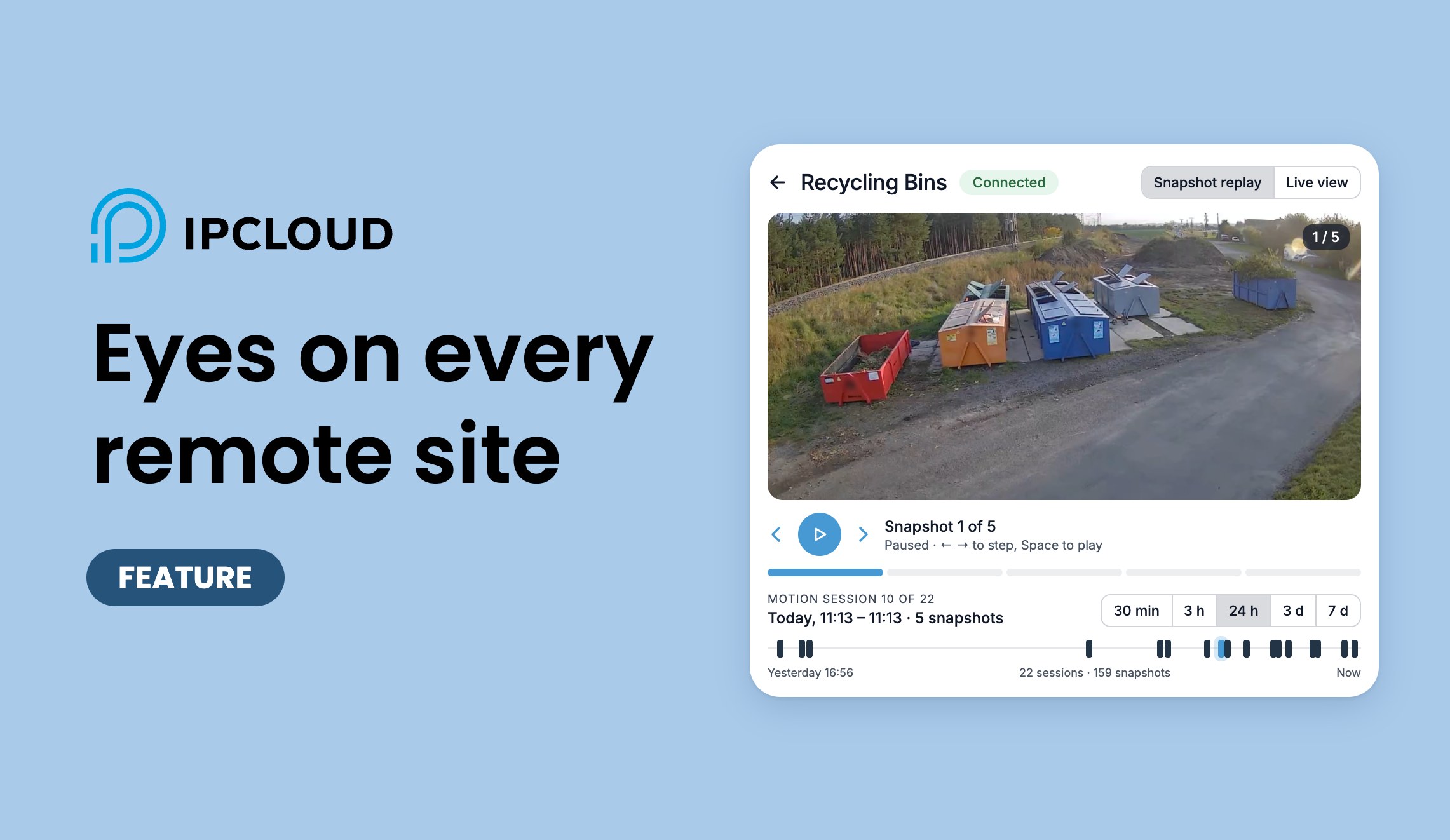
IPCLOUD now integrates IP cameras into the same ecosystem as your sensors. Any camera that speaks the ONVIF protocol can be connected to a project over a secure VPN, with automatic motion snapshots, a searchable history and live video on demand.
It is designed for the places where IPCLOUD already works: remote sites with a mobile connection, where every megabyte counts.
What you get
- Any ONVIF camera — no proprietary hardware. If the camera supports ONVIF, it can be integrated.
- Secure VPN connection — cameras reach IPCLOUD through an encrypted VPN tunnel set up on a router at the site. No ports are opened on your network and the camera is never exposed to the internet.
- Automatic snapshots on motion — when the camera detects motion, IPCLOUD captures snapshots for the whole event: a series at the start, during the motion and a few after it ends, so you see the situation before and after.
- History you can browse — replay motion events for a selected time range, step through them frame by frame and download any event as a ZIP.
- Live video on demand — open a live view from the dashboard whenever you need to see the site right now. The stream is started only on request and ends automatically.
Use cases
Monitoring public land and waste containers
Illegal dumping and overflowing containers are a constant cost for municipalities. A camera at a waste collection point, like the recycling point shown below, records what is brought there and when, so you can see what is delivered, spot waste dumped next to a container and decide when it needs emptying, without driving around to look.

Remote supervision of a vacuum station
Older vacuum stations without smart PLCs have no data to send, but they still have gauges that someone has to read. A camera aimed at the dials gives operators an instant view of them from the dashboard, and a motion history shows when someone visited the station. It is a low-cost way to bring a legacy installation under remote supervision, next to the modern sensors of the rest of the network.

Your data stays protected
Video and snapshots are sensitive, so security is built in:
- Encrypted storage — snapshots are stored encrypted at rest and transferred only over encrypted connections. The storage is never publicly accessible.
- Automatic retention — each project sets how long events are kept. After that, snapshots are deleted automatically, with no manual cleanup.
- Role-based access — only project admins and users with the Camera manager role can see images or live video.
- Verifiable exports — an exported event contains a manifest with times and the person who exported it, plus a SHA-256 checksum of every snapshot.
Getting started
Cameras are activated per project. Open the Cameras page of your project in the web platform and choose Request activation, or contact us. We will help you connect your ONVIF camera through a VPN router, and once it is assigned to your project, snapshots start to appear.